
Our verdict
The best all-round design tool for people who aren’t designers
Best for: Small businesses, creators, students and marketers who need good-looking designs fast
Pros
- Very easy drag-and-drop editor
- Huge template library for every format
- Generous free plan
- Magic Studio AI tools save time
- Works in the browser, desktop and mobile
Cons
- Pro is now $18/month (prices have risen)
- Teams must move to per-person Business pricing
- Designs can look generic if you don’t customise templates
- Not a replacement for pro tools for complex print work
Score breakdown

On this page
Canva turned graphic design into something anyone can do. Instead of learning complex software, you pick a template, change the text and images, and download a professional-looking design in minutes. It’s used for everything from Instagram posts and presentations to business cards, videos and websites.
In this Canva review we look at the free plan, what Canva Pro adds, the new AI tools, current pricing, and who should upgrade. New to Canva? Start with our step-by-step Canva guide.
Canva at a glance
| Canva | |
|---|---|
| Launched | 2013 |
| Free plan | Yes, with 5 GB storage |
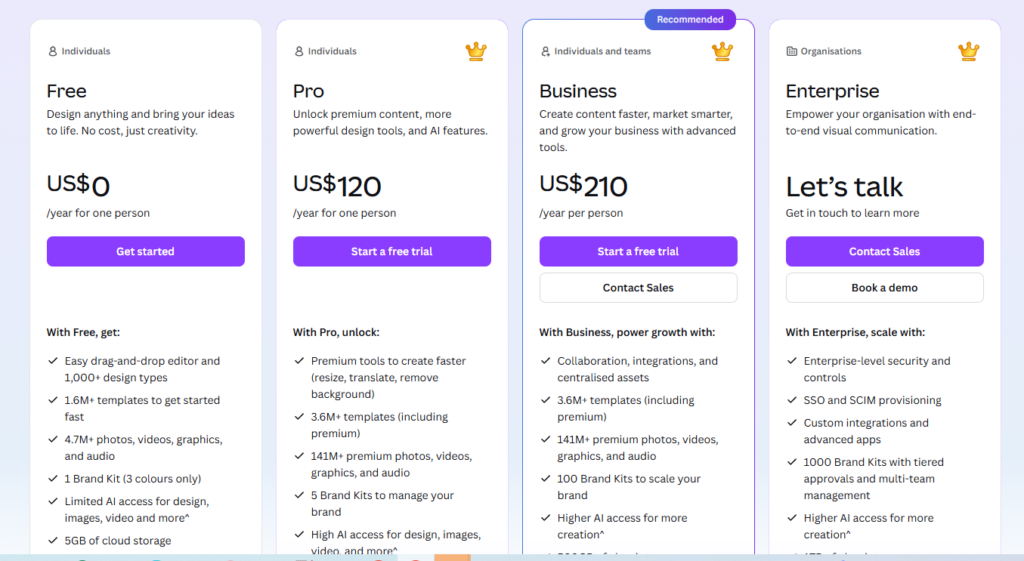
| Canva Pro | $18/mo or $180/yr (1 person, US) |
| Canva Business | $25 per person/mo or $250/yr |
| Platforms | Web, Windows, Mac, iOS, Android |
| Best for | Social media, presentations, marketing materials, quick videos |
What can you make with Canva?
- Social media posts, stories and ads
- Presentations and pitch decks
- Logos, business cards, flyers and posters
- Short videos and reels
- Documents, reports and resumes
- Simple websites and link-in-bio pages
- Whiteboards and mind maps for team planning
Features that make Canva stand out
Drag-and-drop editor
Everything works by clicking and dragging: text, photos, shapes and icons snap into place with alignment guides. You don’t need design training to get a clean result.
Templates for everything
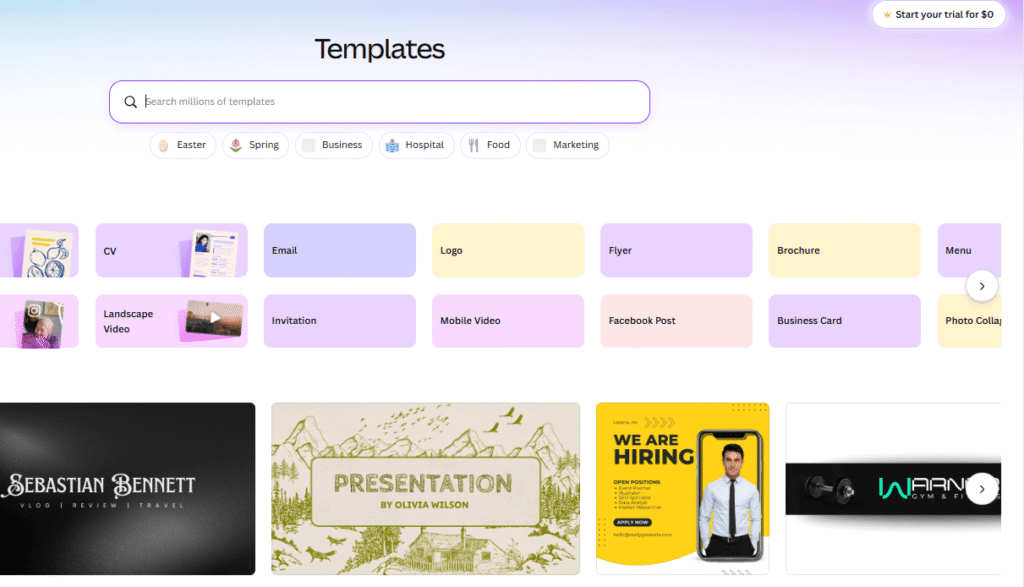
Canva’s template library covers almost any format you can think of, in the right size for each platform. Templates are the fastest way to a professional look.
Magic Studio (AI tools)
Canva’s AI features include Magic Design (generate designs from a prompt), Magic Write (AI text), Magic Edit and Magic Eraser for photos, background remover, and Magic Resize to turn one design into many formats. Most of the best AI features are part of Pro.
Brand Kit
Save your logo, colours and fonts so every design stays on-brand. The full Brand Kit is a Pro feature.
Collaboration
Share designs with others to comment or edit together in real time, which is useful for small teams and clients.
Canva Free vs Pro
| Feature | Free | Pro |
|---|---|---|
| Templates | Large free selection | All templates, including premium |
| Photos, graphics, video | Free library | Full premium library |
| Background remover | No | Yes |
| Magic Resize | No | Yes |
| Brand Kit | Limited | Full |
| AI tools | Limited uses | Much higher limits |
| Storage | 5 GB | Much more |
| Price (US) | $0 | $18/mo or $180/yr |
Canva’s prices have risen over the last two years, and the old flat-price Teams plan has been replaced by per-person Canva Business pricing. Prices vary by country, so check Canva’s pricing page for your region. Canva usually offers a free Pro trial to new users.
pricing of Canva
Is Canva Pro worth it?
If you create designs every week, for social media, a business or clients, yes. The background remover, Magic Resize, Brand Kit and premium library alone save hours each month. If you only make the occasional invitation or presentation, the free plan is excellent and you may never need to upgrade.
Limitations
- Generic look: popular templates are used by many people. Customise colours, fonts and layouts to stand out.
- Not a pro design tool: complex print work, detailed illustration and advanced photo editing are better in tools such as Adobe Illustrator, Photoshop or Affinity.
- Licensing rules: you can’t trademark a logo built from Canva’s stock elements, or resell templates unchanged.
Who should use Canva?
- Small business owners creating their own marketing
- Social media managers and content creators
- Teachers and students
- Bloggers making featured images and Pinterest graphics
- Teams that need quick, on-brand designs without a designer
Need more assets for video and professional design software? Compare Canva vs Envato.
Our verdict
Canva is the best design tool for people who aren’t designers. The free plan is genuinely useful, and Pro pays for itself quickly if you design regularly. Recent price rises make it worth checking whether you really use the Pro features, but for most small businesses and creators, Canva remains an easy recommendation.
Frequently asked questions
Is Canva free?
Yes, Canva has a free plan with thousands of templates, a large library of free photos and graphics, and 5 GB of storage. Some templates, elements and features need Canva Pro.
How much is Canva Pro?
In the US, Canva Pro costs $18 per month or $180 per year for one person (about $15/month when billed yearly). Prices vary by country. Checked October 2026.
What happened to Canva Teams?
Canva Teams has been replaced by Canva Business, which is priced per person: $25 per person per month or $250 per person per year in the US.
Can I use Canva designs commercially?
Yes, in most cases you can use Canva designs for business. There are restrictions, for example on reselling unchanged templates or trademarking designs that use Canva elements. Check Canva’s licence terms.
The best all-round design tool for people who aren’t designers
Try Canva free