
Our verdict
The easiest way to make professional AI presenter videos
Best for: Marketers, educators and businesses making training, explainer and social videos
Pros
- Realistic AI avatars and natural voices
- Create a custom avatar of yourself
- Translate videos into many languages with lip sync
- Simple editor, no video skills needed
- Useful free plan to try it
Cons
- Credit-based pricing can be confusing
- Free plan limited to 3 short videos a month
- Avatars can still look artificial in close-ups or emotional scenes
- 4K export only on Pro and above
Score breakdown

On this page
Recording videos takes time: setting up a camera and lights, learning lines, doing retakes. HeyGen removes most of that. You type a script, choose an AI avatar (or create one of yourself), and HeyGen produces a video of a presenter speaking your words, in dozens of languages.
In this HeyGen review we look at how it works, how realistic the results are, what the plans cost and who it’s really for. Want to try it? Follow our step-by-step guide on how to make an AI video with HeyGen.
HeyGen at a glance
| HeyGen | |
|---|---|
| What it does | AI avatar videos, text-to-video, voice cloning, video translation |
| Free plan | 3 videos/month, up to 1 minute, 1080p |
| Paid plans | Creator $29/mo ($24 yearly), Pro $49, Business $149 |
| Max length | 30 min (Creator/Pro), 60 min (Business) |
| Best for | Marketing, training, explainer and social videos |
What is HeyGen?
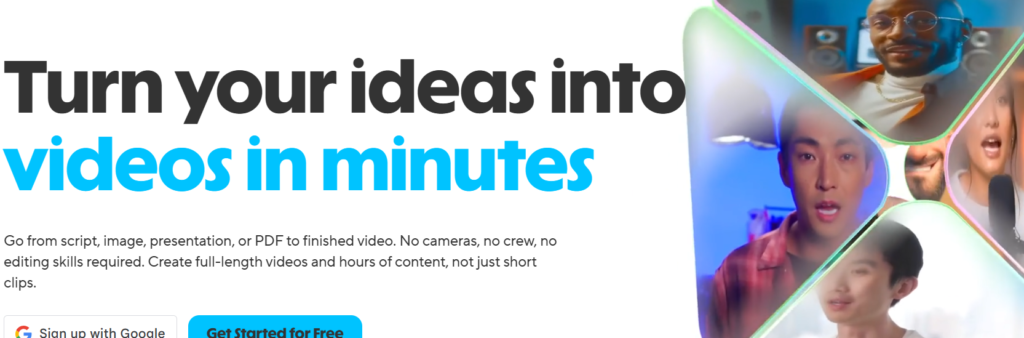
HeyGen is an AI video generator. It combines realistic digital presenters (“avatars”), AI voices and a simple editor so anyone can create presenter-style videos without filming. Businesses use it for product explainers, training and onboarding videos, sales outreach, social media clips and translated versions of existing videos.
Key features of HeyGen
AI avatars
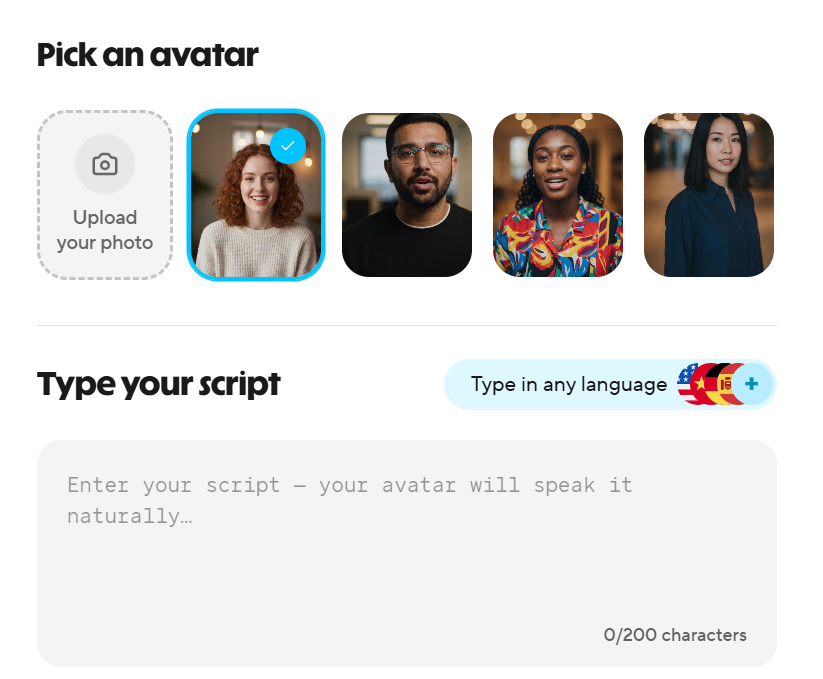
Choose from a large library of stock avatars in different styles and settings, or create your own. Newer avatar models produce more natural facial expressions and gestures.
Custom avatar and voice clone
Record a short video of yourself to create a digital twin, and clone your voice. After that, you can make new videos of “yourself” just by typing. Only create avatars of people who have agreed to it.
Text to video
Paste a script, pick an avatar and voice, and HeyGen generates the video. You can add slides, images, background music, captions and branding in the editor.
Video translation
Upload a video and HeyGen can translate the speech into another language, cloning the voice and syncing the lip movements. This is one of its most impressive features for reaching international audiences.
How good are the results?
For a presenter talking to camera, which covers most business videos, HeyGen’s results are convincing, especially at normal viewing sizes and on social media. Voices sound natural in major languages. Limitations show in close-ups, very emotional delivery and fast movement, where avatars can still look slightly artificial. For training, explainers and marketing, that’s rarely a problem.
HeyGen pricing
HeyGen uses monthly credits on paid plans. Prices checked on October 13, 2026:
| Plan | Price | Video length | Export | Credits |
|---|---|---|---|---|
| Free | $0 | Up to 1 min, 3 videos/month | 1080p | — |
| Creator | $29/mo ($24 billed yearly) | Up to 30 min | 1080p | 600/month |
| Pro | $49/mo | Up to 30 min | 4K | 1,000/month |
| Business | $149/mo + $20 per extra seat | Up to 60 min | 4K | 1,500/month |
| Enterprise | Custom | No limit | 4K | Custom |
The cost of using HeyGen may vary based on your country, geographical location, and currency. Additionally, subscription costs may be subject to change in the future. To access updated information regarding HeyGen pricing and subscriptions, kindly visit the HeyGen website.
Who should use HeyGen?
- Marketers who need product and social videos regularly.
- Trainers and educators building course and onboarding content.
- Businesses with international customers who want videos in several languages.
- Creators who don’t want to appear on camera every time.
It’s less suited to cinematic or story-driven videos, which still need real filming or other AI video tools.
Our verdict
HeyGen is one of the easiest and most capable AI avatar video tools available. It can turn hours of filming into minutes of typing, and its translation feature is excellent. Start with the free plan to see if the avatars suit your brand, and keep an eye on credit usage once you upgrade.
Frequently asked questions
Is HeyGen free?
HeyGen has a free plan that allows 3 videos per month, up to 1 minute each, with 1080p export. Paid plans start with Creator at $29/month or $24/month billed yearly.
Can HeyGen make an avatar of me?
Yes. You can record a short video of yourself to create a custom avatar, and clone your voice, so you can create new videos just by typing a script.
Can HeyGen translate videos?
Yes. HeyGen can translate a video into many languages and match the lip movements to the new audio.
Is it legal to use HeyGen videos commercially?
Paid plans allow commercial use. Only create avatars and voice clones of people who have given consent, and follow HeyGen’s usage policy.
The easiest way to make professional AI presenter videos
Try HeyGen free